|
|
Cool and Smart! Wolflink!
In the modern world, it seems that everything has become smart: smart phone, smart TV, smart watch, etc. Now, a new member has entered the “Smart Family”, that is, Wolflink, which claims to be the No.1 smart router. As a smart one, this router is very different from traditional ones, with many new functions provided and optimized.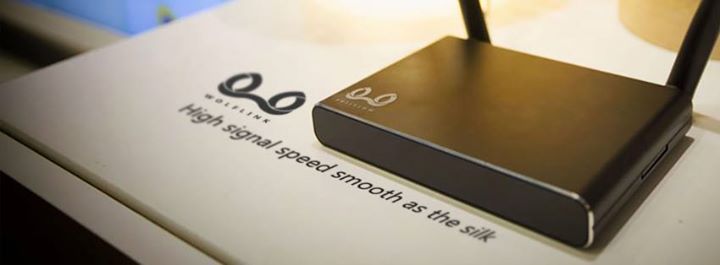
Appearance
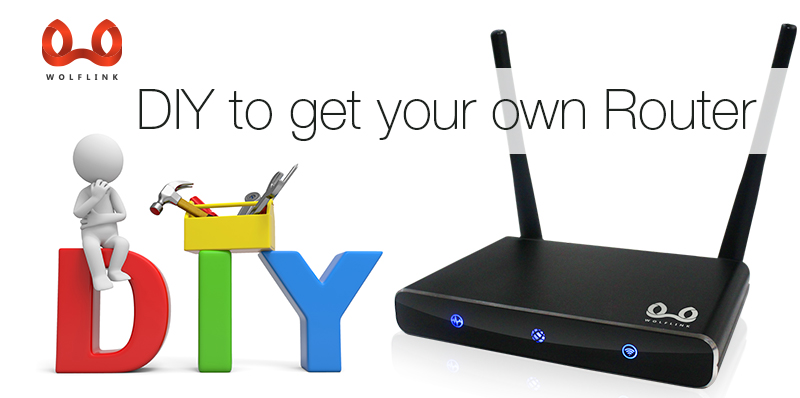
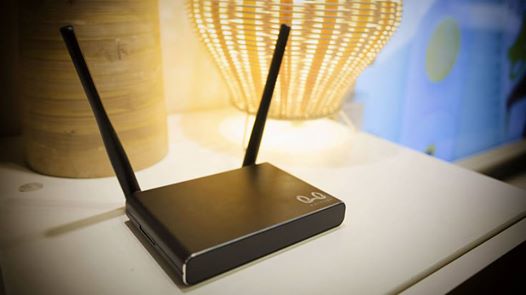
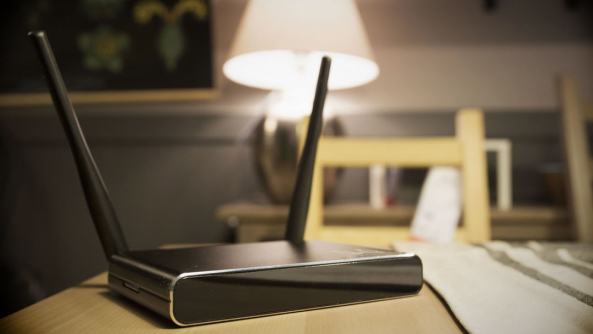
The router is in matter black, and the size is small, 135mm*91mm*21mm (L*W*H). The weight is only 300g. So, the product is more like a well-behaved dog instead of a wolf. “We call it wolf because it can output a strong power” as the developer said. What is worth mentioning is that the router shell is made of Aluminum alloy, providing a better heat dissipation and excellent hand feeling.
Three indicators appears in the front part of the router, separately indicate the working status of system, Internet and WIFI. Also, the blue light given off by the indicator is very soft.
Behind the small black box installed two antennas, which are not removable. It is said that the ordinary-looking antennas support MIMO technique and can provide the maximum speed of 300 Mbps and cover an area of 200 square meters
Same as normal router, the router provides four LAN ports and one WLAN port. The only difference of this smart router in appearance is the SD slot, indicating the product supports storage expansion. Therefore, the small device offers space for users to download and install plug-ins.
Routing Performance
Perhaps the most importance function of a router is the transmission rate and the maximum available covering area. Claimed to be smart, Wolflink should be able to provide more considerable data than normal routers.
Wolflink is equipped with powerful hardware, a CPU with the maximum clock frequency of 580 MHz, 128-MB DD2 memory and 16-MB flash memory, providing a maximum transmission rate of 300 Mbps and the maximum transmission power of 20 dBM. With the 5dBi high-gain antennas, the signal can be transmitted to the place 200 meter away.
Moreover, the router provides two modes of transmission, that is, “normal mode” and “through-wall” mode. In normal mode, the signal strength provided by Wolflink is 10% and 15% more than traditional router. If the “through-wall” mode is enabled, they signal strength can be further improved.
We also test the wireless transmission rate of Wolflink, the average rate of the single-threaded download and upload rate can reach 84 Mbps, and the multi-threaded download and upload rate can reach 129 Mbps, which is much better than those of the normal router.
Special Features and Functions
Router Configuration
Wolflink is very easy to configure. You can directly access to the router background using the address provided by the instruction book. Basic configuration, such as entering proper network name, account number and password, can be done here.
It’s worth mentioning that users can configure the router through PC or other mobile devices.
Also, Wolflink provides a graphic user interface, that is, the HiWiFi intelligent system. This system is very user-friendly, and all the functions are presented on the main interface so that user can easily set the external network and wireless connection and check the router status.
HiWiFi also supports automatic firmware upgrade, mobile phone cloud management and unique plug-in market.
Plug-in Market
In the plug-in market of the Wolflink, users can download various plug-ins as required. By adding different plug-ins, every Wolflink is unique. Please note that all the plug-ins are free.
The representative plug-ins are as follows:
Video ads shield: The ads before the on-demand videos can be removed.
Intelligent bandwidth allocation: When multiple terminals are sharing the bandwidth of one network, user can allocate certain bandwidth to each terminal so that everyone can surf the Internet with enough bandwidth.
Remote management through mobile phone: Users can manage Wolflink remotely using their mobile phones. In this way, users can implement overall examination on, optimize and speed up the router and network at any time even if they are far away from the router.
Super speed up of App Store: When users access the App Store through PC, iPad and iPhone, the App Store can be open within a second and the download speed can be increased for several times.
Many other featured plug-ins are provided for users in different types with difference requirements, and some new plug-ins are under development.
Wolflink APP
Wolflink also provides a free APP for mobile phones to realize the remote one-touch operation. Wolflink APP can support both Android and iOS. Users can download the APP from the official site of Wolflink or the background of the router.
Wolflink provides the experience optimization function, allowing users to master the various types of router information and broadband speed test result. You can select “one-touch speed boost” for overall speed up or only speed up one of the connected devices to obtain the best experience.
In healthy mode, the WiFi function can be timed to shut down and the panel indicators can also be turned off. Therefore, users are free of interference from signals and light.
The APP also provides multiple functions to control the router:
1. Device status query, name change, speed limitation and network disconnection
2. Selection and installation of plug-ins and enabling and uninstall of installed plug-ins
3. Firmware upgrade, WiFi switch, “through-wall” switch and router reset
More practical functions will be added to Wolflink with the firmware upgrade.

Conclusion
By reviewing this small device, we can find Wolflink shares a good performance. With strong hardware, stable functions, convenient controllability and unlimited expansibility, Wolflink will surely become a successful model of routers in the new era.
Official site: http://www.wolflinks.com/
FaceBook: https://www.facebook.com/wolflinks?fref=ts